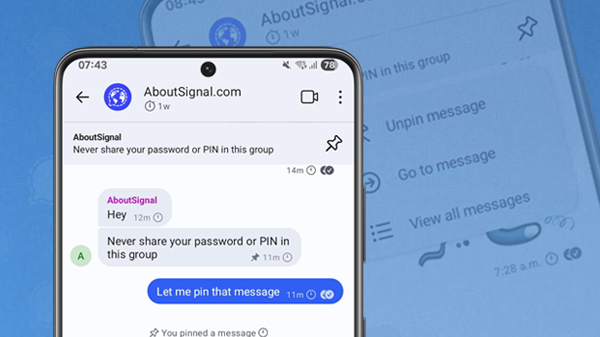
Signal has added a new feature: Pinned messages. Users can pin messages at the top of the chat in one-on-one chats and groups.
The feature is available in the latest beta versions for Android (7.71), iOS (7.93 to be released soon), and Desktop (7.87), and will be rolled out to everyone after a short testing period. The most recent regular, stable versions of Signal already support receiving pinned messages.
With pinned messages, you can display a message at the top of the chat for all participants. This works in both 1:1 chats and groups. It’s important to note that new members will not see messages that were pinned before they joined the group.
By pinning important messages, you can prevent them from getting lost among other messages. This is useful for appointments, reminders or announcements.
We already revealed this feature last month with our first screenshots, and the design hasn’t changed. Follow us on Bluesky, Mastodon ou X for more news and tips about Signal.
How pinned messages work in Signal
To pin a message, press and hold a message until the context menu with various options appears. Here you’ll find the new option Pin message:
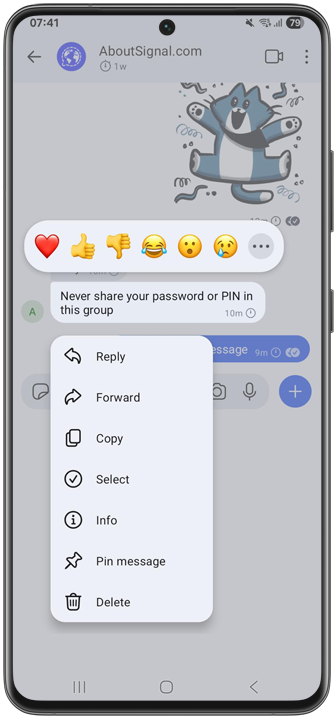
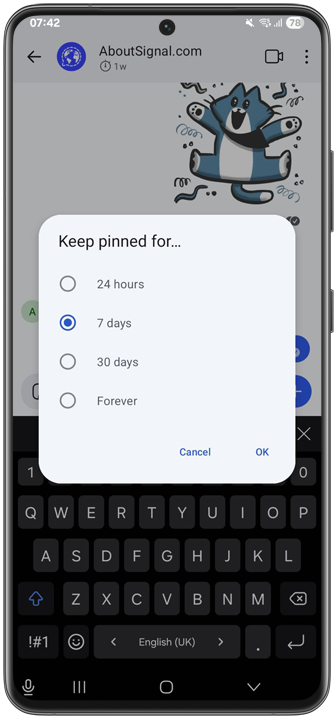
You will then see a pop-up where you can choose how long you want to pin the message.
You can choose 24 hours, 7 days, 30 days, or forever. If you choose forever, you can of course unpin the message manually at any time:
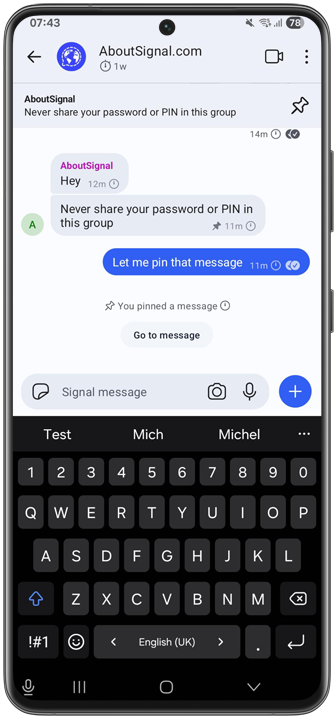
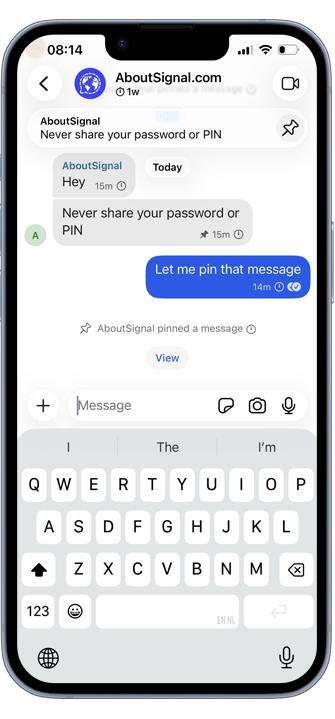
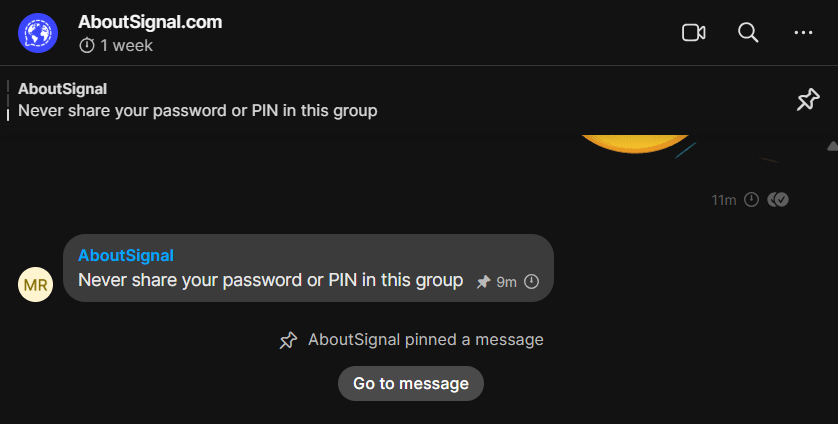
The pinned message will then appear in a banner at the top of the Signal chat. In the chat, you can recognize pinned messages by the small pushpin icon next to the timestamp:
Options for pinned messages
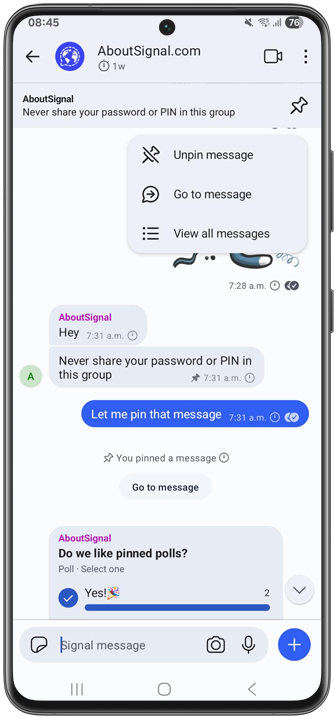
At the top of the screen, you can tap the pushpin icon to unpin a message, jump to the message in the chat, or view all pinned messages:
Overview of pinned messages
The overview of all pinned messages looks like this:
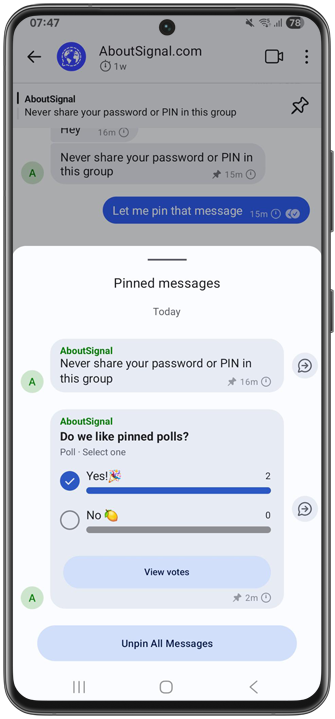
By tapping the arrow next to a pinned message in this overview, you jump to the corresponding message in the chat.
Maximum of three pinned messages
You can pin up to three messages at the same time. If you try to pin a fourth, you’ll receive a notification that it will unpin and replace the oldest pinned message.
All types of messages, including polls
In Signal, you can pin all types of messages: text messages, images, videos, polls, locations, stickers, voice messages, GIFs, view-once media, and files. Text formatting such as bold, italic, or spoilers also works in pinned messages.
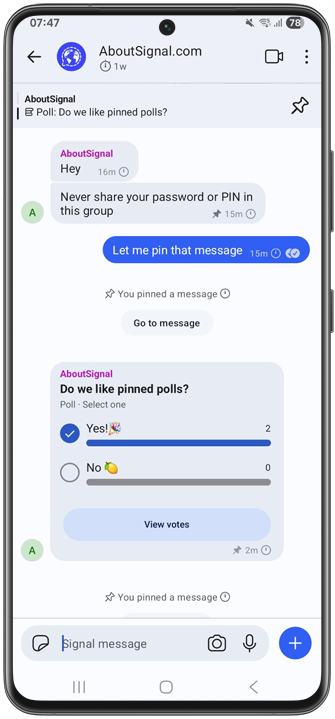
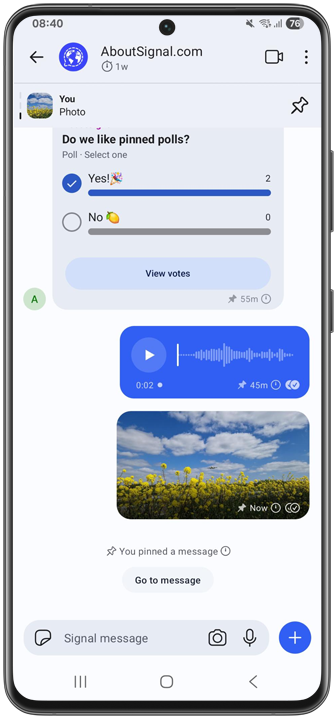
This is what a pinned poll looks like:
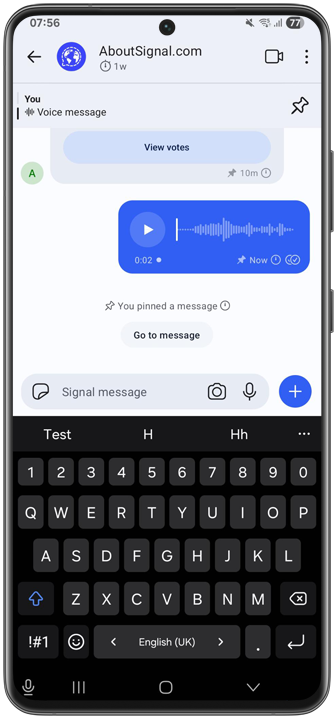
This is what a pinned voice message looks like:
And this is what a pinned image looks like:
Disappearing messages
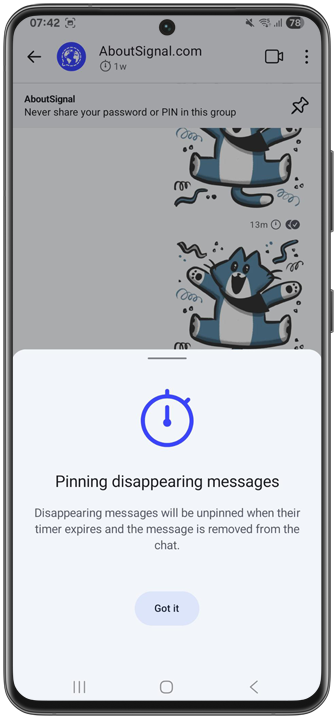
If you have disappearing messages enabled for your chat, Signal will notify you. Disappearing messages are automatically unpinned and removed from the chat when the timer expires:
Unpinning messages
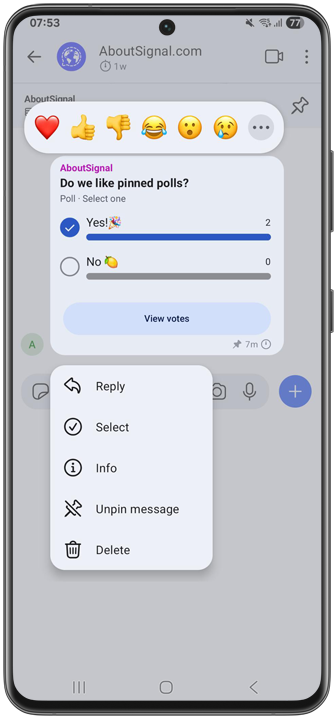
You can unpin messages at any time. You can do this by pressing and holding a pinned message in the chat and selecting Unpin message, or by tapping the pushpin icon in the banner at the top.
If you have multiple pinned messages, you can also unpin them all at once using the button at the bottom of the pinned messages overview:
Only admins or all members
In groups, you can use group permissions to set whether only admins or all members can pin messages. Pinning messages falls under the “Edit Group Info” permission, just like editing the group name, photo, description, and the disappearing messages timer.
Disponibilité
The feature is now available in the latest beta versions for Android (7.71) and Desktop (7.87), will be released soon to beta iOS and will be made available to everyone shortly. The most recent regular, stable versions of Signal already support receiving pinned messages.
Don’t have Signal yet, or haven’t updated the app in a while? Download the latest version of Signal for free through the official channels.
Abonnez-vous à notre infolettre
Ne ratez rien des dernières nouveautés, astuces et actus Signal ! Suivez-nous sur : Bluesky, Mastodon ou X.