In 2025, Signal experienced significant growth and launched a large number of new features. In this article, we look ahead: what can you expect from Signal in the near future?
The information in this article is based on what we currently know about Signal. The developers have already hinted that much more news is coming this year. As soon as more becomes known, you will of course read it on our site. If you don’t want to miss anything, follow us on Bluesky or Mastodon.
Pinned messages
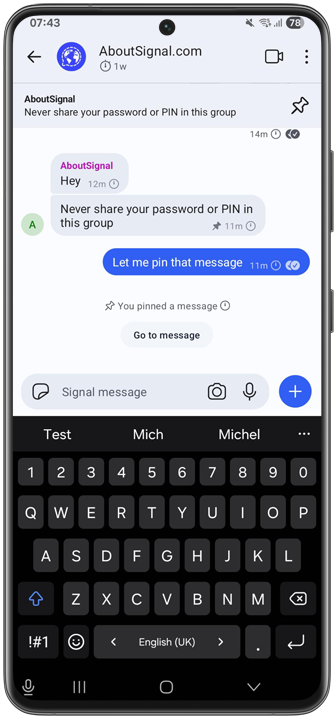
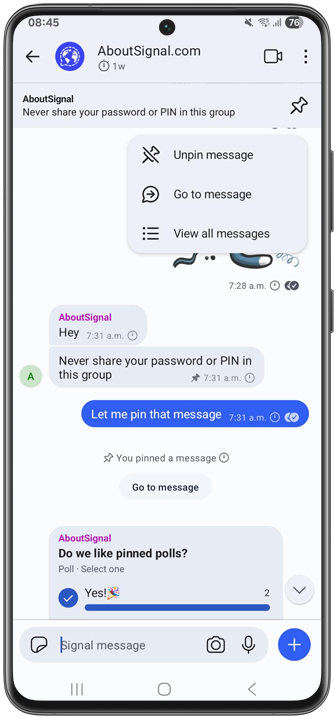
One of the most requested features that Signal will soon launch is Pinned messages. Development is well underway for iOS, Android, and Desktop.
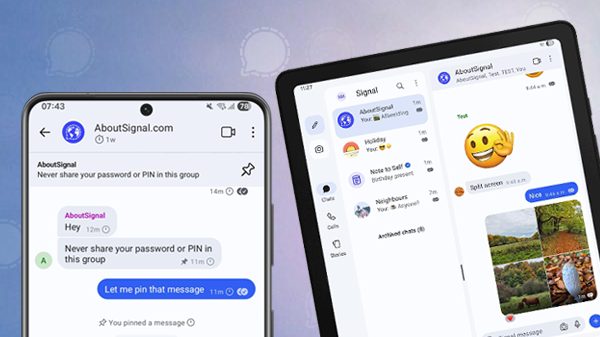
With pinned messages, you can display a message at the top of the chat for all participants. This works in both 1:1 chats and groups. By pinning important messages, you can prevent them from getting lost among other messages. This is useful for appointments, reminders or announcements.
The feature is already well developed, and more details and the first screenshots of pinned messages in Signal can be found in this article.
Update 01/22/2026: Signal introduces Pinned messages
Signal for Android tablets
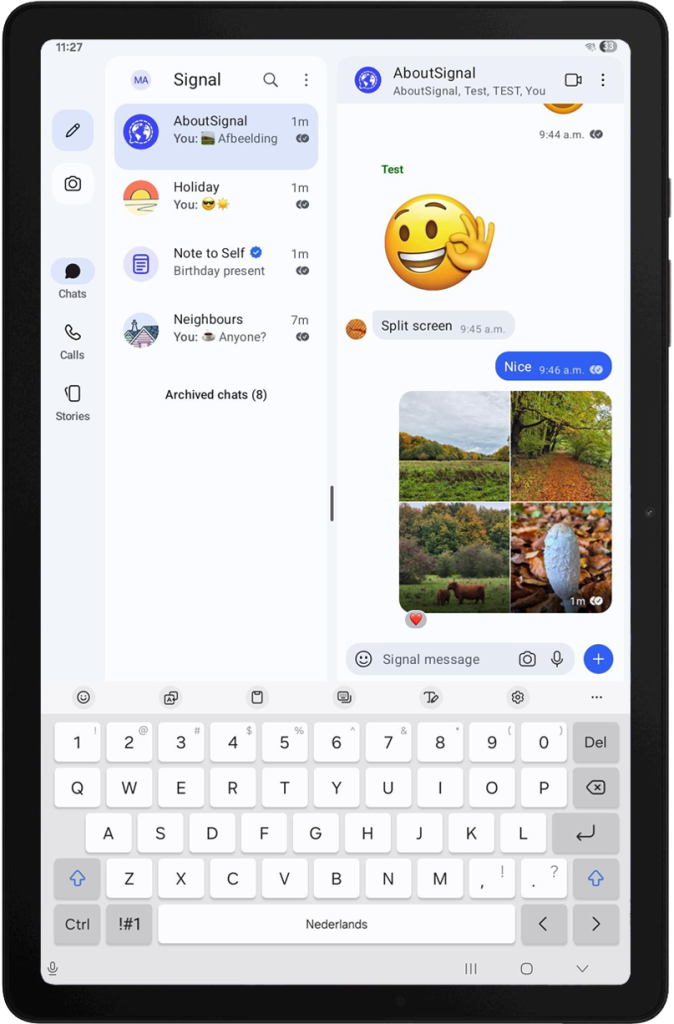
Signal will also soon add support for Android tablets. At the moment, Signal only supports iPads. Tablets running Android, such as those from Samsung, Lenovo, Huawei, and Xiaomi, are not yet supported by Signal.
On Android tablets, you can use Signal with a split-screen view so that you see the chat list and the chat at the same time, or you can choose to display only the chat or only the chat list.
Ultimately, the goal is that you can set up your Android tablet for Signal as a standalone device or as a linked device.
We have already been able to test Signal on an Android tablet, and you can find the first screenshots here.
Update 07/16/2026: Signal introduces support for linked Android tablets
Muting participants in Signal calls
Signal is also working on more control options for group calls. Soon, you will be able to mute other participants in group calls.
This is useful, for example, if someone talks for too long, if you want to jump in briefly, or to mute someone who does not realize their microphone is on. When you mute someone, no one in the call can hear that person.
Update 06/10/2026: Remote mute is available for Android, iOS and Desktop in the latest releases.
New call design on Android
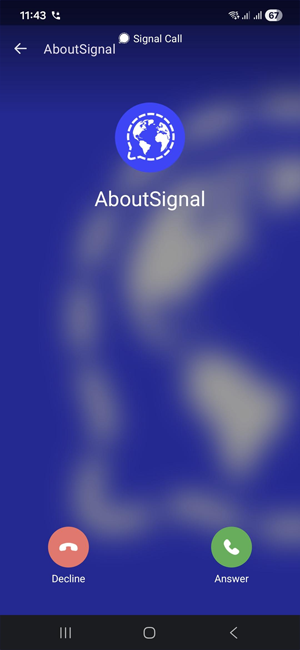
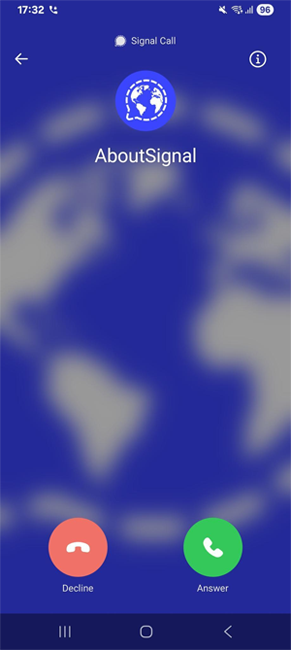
Signal is also working on a new user interface for calls on Android. For incoming calls, the buttons will be larger, the blurred profile photo in the background will be centered, and the color of the Android system and navigation bars will better match the overall design.
Update 01/09/2026: Signal Android update: new design for calls
Local backups, exporting chat history, improved Signal Secure Backups
Signal is also going to further expand its backup options. The recently launched Signal Secure Backups were released under a beta label and are continuously being improved. Signal Secure Backups are hosted by Signal itself.
Eventually, new local backups for Android, iOS, and Desktop will also become available, allowing you to store Signal backups on your own storage. Android already has local backups, but these will be further improved.
Backups will work cross-platform, meaning you will be able to easily transfer your chat history from Android to iOS and vice versa.
Signal Desktop will soon also offer the option to export your chat history in a machine-readable JSON file.
Update 04/02/2026: For users with Android as the primary device, local desktop backups are now available.
Optimize on-device storage
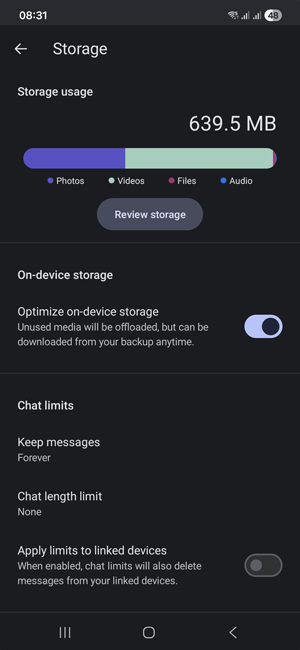
Users of Signal with the paid version of Signal Secure Backups will soon be able to optimize their device storage. When you enable this feature, attachments older than 30 days that have been uploaded via your backup will be removed from your device. These optimized media will render via a compressed thumbnail in chats, and when you want to view them in full screen, the original will be retrieved from your backup storage.
With this feature, you can save a lot of storage space on your device. In our example below from Android, the storage used was reduced from 4.2 GB to 600 MB — a difference of 3.6 GB.
Update 06/10/2026: Optimize on-device storage has been available on Android since early 2026 and is now available on iOS in version 8.16.

Signal Desktop Linux AppImage, broader availability on Linux
The availability of Signal Desktop for Linux will soon be significantly expanded, as Signal will release the app as an AppImage. This will make the popular chat app accessible on all Linux distributions, not just Debian-based systems.
The first beta version of Signal Desktop Linux AppImage is already available. Currently, only x86_64 is supported, but Signal plans to expand this in the future.
Update 06/23/2026: Signal AppImage now officially available for Linux
More Liquid Glass design for users with iOS 26
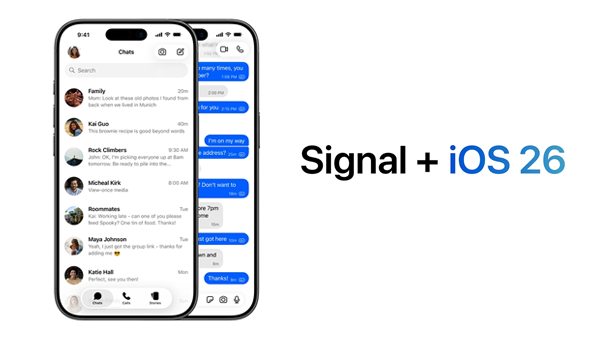
In the final months of 2025, Signal introduced the completely new Liquid Glass design. Signal has indicated that this is the first wave of improvements and that more adjustments will be made in the coming period.
Liquid Glass is available for iPhones with iOS 26 and iPads with iPadOS 26.
A bit more patience, more features coming soon
It’s not yet known when the new features will be available. Signal doesn’t share timelines and only releases features once they’re fully ready and tested.
Signal is working behind the scenes on even more improvements. As soon as more details are available, you’ll find them on our website and social media channels.
Don’t have Signal yet? Download Signal for free via your app store.
Stay Informed
Want to stay up to date with the latest Signal news, tips, and updates? Follow us on Bluesky or Mastodon.