Signal has started rolling out Signal Login, an optional registration method that allows users to create a Signal account without providing a phone number. The feature will be rolled out first on Android and will come to iOS later.
The ability to register for Signal without a phone number is a long-requested feature. While Signal hides phone numbers by default and gives users control over who can discover them by phone number, registration itself has continued to depend on a number capable of receiving an SMS or verification call. Signal Login changes that by allowing users to create an account without providing a phone number.
Registration without a phone number is optional and not a replacement of the current signup process.
We found the first hints of phone-number-free registration back in July, so be sure to follow AboutSignal on Mastodon o Bluesky if you want to stay up to date with the latest Signal news and developments going forward.
One-time payment for Signal Login, zero-knowledge proof
As we previously reported, Signal Login is not a free alternative registration method. Signal requires users who choose to register without a phone number to make a one-time payment. The price at launch is $2.99 / € 3.49, although this may vary by region and currency.
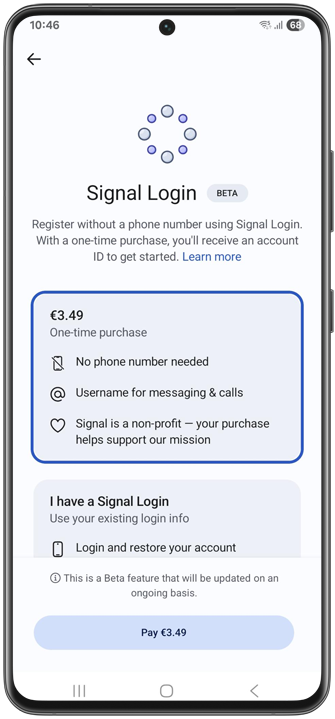
The payment is intended to introduce a barrier to creating an account without a phone number, helping Signal prevent spam and abuse. A Signal developer wrote on the Community Forum that the price could be increased in the future if Signal Login accounts become a source of spam.
Signal Login is not a subscription, and Signal is not turning into a paid messaging service. The registration process using a phone number remains the main way to create a Signal account and is still available for free. As a nonprofit organization, Signal will also use the proceeds from Signal Login to support Signal’s mission.
It’s currently not yet possible to buy a Signal Login account on a device that has no Play Services. Signal says they have plans to add more payment methods, but currently only offer Play Store in-app payments, which requires Play Services.
The payment uses the same zero-knowledge proofs Signal’s donation system uses, so there is no link between your payment and your Signal account.
How to register for Signal without a phone number?
Signal Login currently only works for new accounts. It is not possible to remove a phone number from an existing account, although this may become possible in the future.
To register for Signal without a phone number, install Signal and tap Continue. You can optionally allow the requested permissions until you reach the Phone number screen. At the bottom of the screen, you will now see the Register without number option.
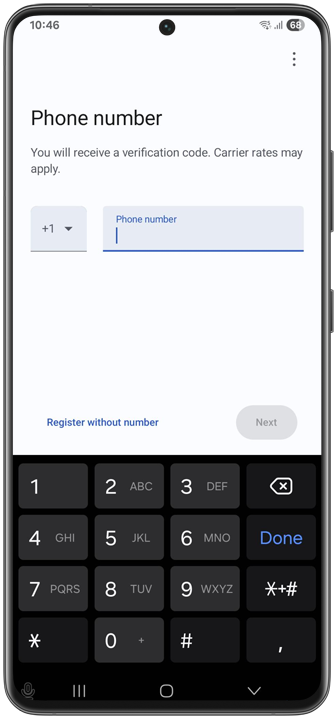
That will bring you to Signal Login. From there, you can either purchase a Signal Login or, if you already have one, restore your existing account.
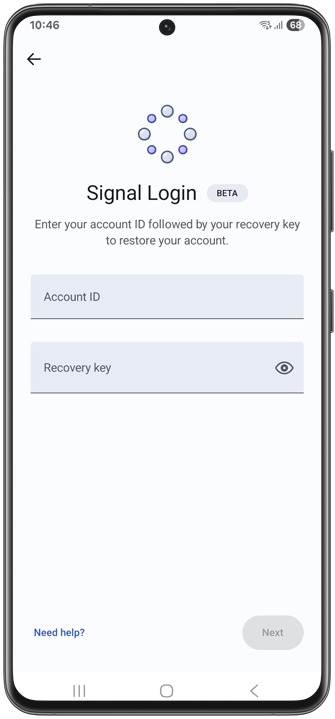
Account ID & Recovery key
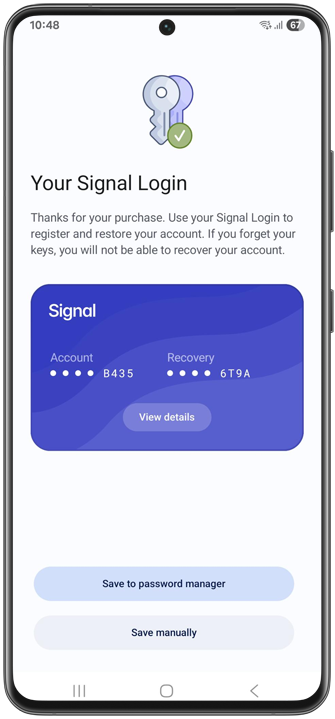
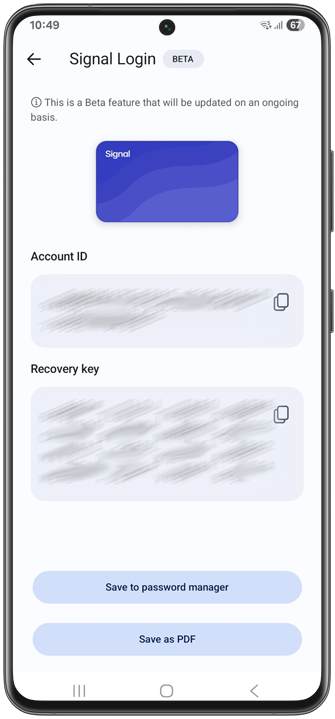
When you purchase a Signal Login, you’ll be given an Account ID and a Recovery key. This is also the Recovery key used for on-device backups and Signal Secure Backups, even if you enable backups at a later time.
Signal encourages you to save your Account ID and Recovery key in a password manager you trust. Alternatively you can also save this login info as a PDF.
Without an Account ID and Recovery key, you won’t be able to recover your account. There is no way to get your account back if you lose either your Account ID or Recovery key. It is therefore important to keep both safe and never share them with anyone.
Optional username
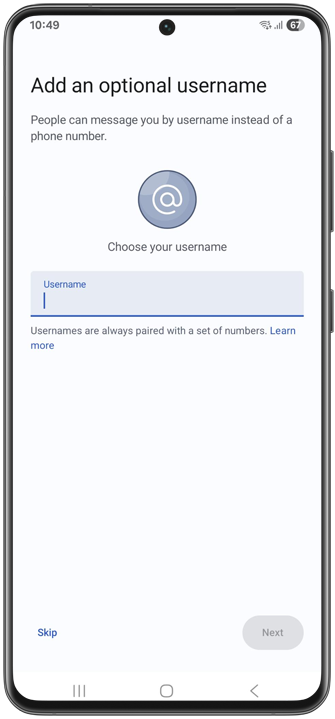
After confirming that you’ve saved your Signal Login details, you can optionally add a username. If you choose not to add a username, your account will be unreachable to others. The only chats you will be able to participate in are those you start yourself or join by clicking a group link.
You can also add a username later, and change it at any time.
No traditional Signal PIN for Signal Login
Signal Logins don’t come with the traditional Signal PIN that regular accounts use. The Recovery key replaces the need for a PIN. (Note that accounts registered with a phone number still use a Signal PIN.)
Two-factor authentication
After registration, you can go to Signal Settings > Account and set up two-factor authentication to protect your account against phishing and account theft.
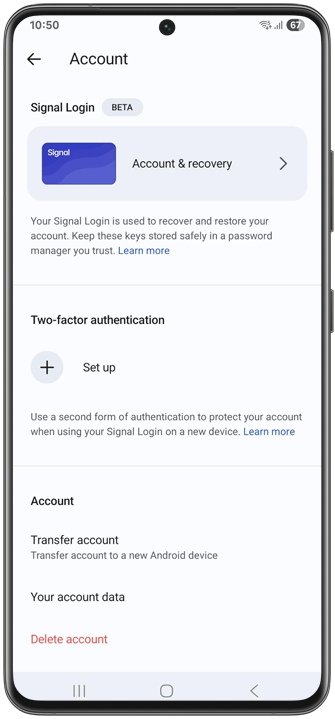
Currently, Signal only supports TOTP-based authentication, such as Google Authenticator and other authenticator apps. Signal says passkey support, including hardware keys, will be added soon.
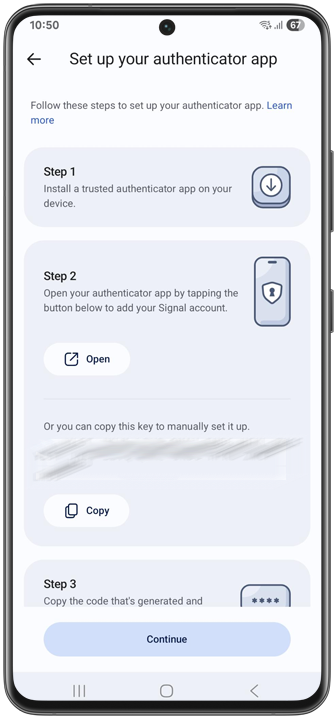
It’s important to note that, just like your Account ID and Recovery Key, losing access to all of your second authentication methods will permanently lock you out of your account. There is no recovery mechanism. For this reason, Signal recommends adding multiple authentication methods if you choose to enable two-factor authentication.
The two-factor authentication setting is currently only available for Signal Login, but Signal plans to add support for accounts registered with a phone number in the future.
Disponibilità
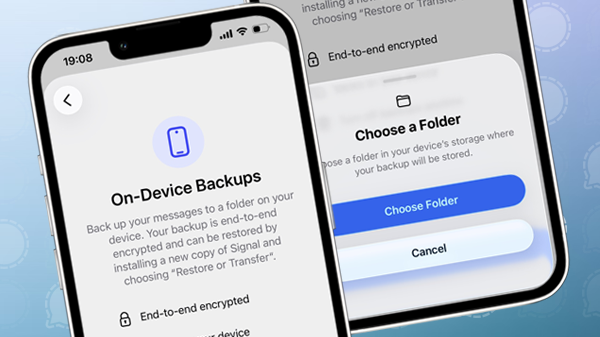
Signal Login is available to testers in Signal Android Beta 8.28 and will be rolled out to all Signal users on Android after the testing period. iOS will follow later, as Signal just finished work on iOS on-device backups.
Signal Desktop currently has no standalone registration process, but Signal is working on making Desktop available as a primary, standalone device. However, with Signal Login on your Android phone, you can also use linked devices, so you can use your account on Signal Desktop.
Signal Login is being released with a Beta label, meaning it will continue to be updated on an ongoing basis.
Resta informato
Vuoi rimanere aggiornato sulle ultime novità Signal notizie, suggerimenti e aggiornamenti? Seguici su Threads, Bluesky o Mastodon.