Last updated: July 31, 2026 (availability updated)
Signal users can now link an iPhone to their existing Signal account on another device, such as a primary iPhone or an Android phone.
This is useful for people who use multiple phones, such as a personal and a work phone, while keeping the same Signal account and synchronized chat history across devices.
Two weeks ago we found the first indications of support for phones as linked devices in the source code of Signal. Last week the feature was introduced on Android, and now it’s becoming available for iPhone too.
The new functionality allows users to use their Signal account on an additional iPhone, without registering a separate phone number. The linked iPhone synchronizes chats and messages with the primary device, allowing users to access their conversations from multiple phones.
How to set up an iPhone as a linked device?
First, install Signal from the Apple App Store on the iPhone you want to link. On the welcome screen, tap Continue and allow or deny permissions for notifications and contacts.
On the next screen, you can register your iPhone as a standalone device by entering and verifying your phone number, or you can tap the three-dot menu and select Link device.
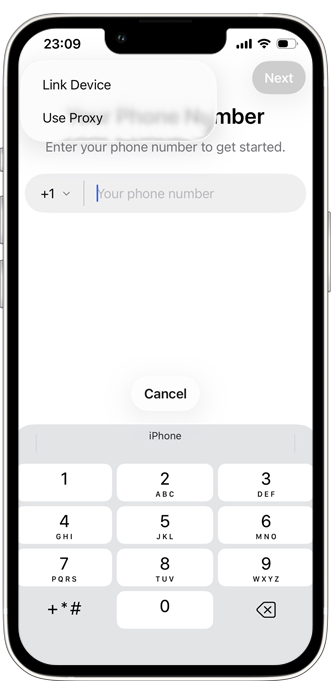
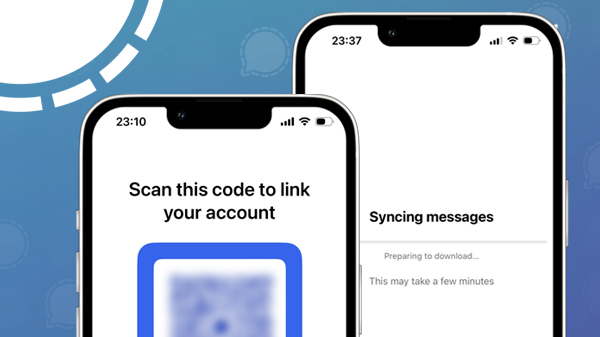
If you choose to link your iPhone to another primary device you’ll be presented with a QR code. Open Signal on your primary device, go to Settings > Linked devices > Link new device, and scan the QR code displayed on the iPhone you want to link to your existing account:
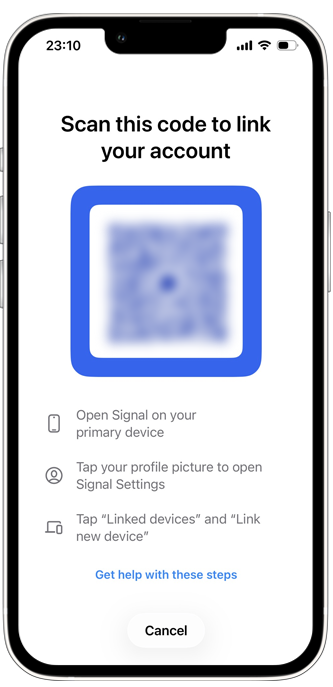
In Signal on your primary phone, you can choose whether to link the device with or without transferring your message history. We choose to transfer our message history. Signal will then link the device and your messages will be synced. This may take a few minutes.
As with everything in Signal, your messages and chat information are protected by end-to-end encryption, including the syncing process.
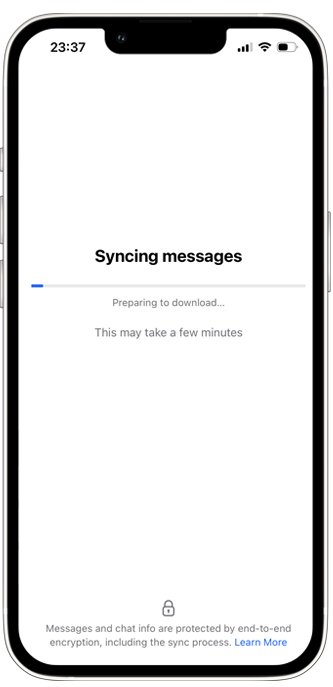
Signal is now successfully setup as a linked device, and your chats and messages are synchronized across devices.
Availability
Signal’s support for linked iPhones is available in Signal for iPhone version 8.22 and higher.
Stay Informed
Want to stay up to date with the latest Signal news, tips, and updates? Follow us on Bluesky or Mastodon.