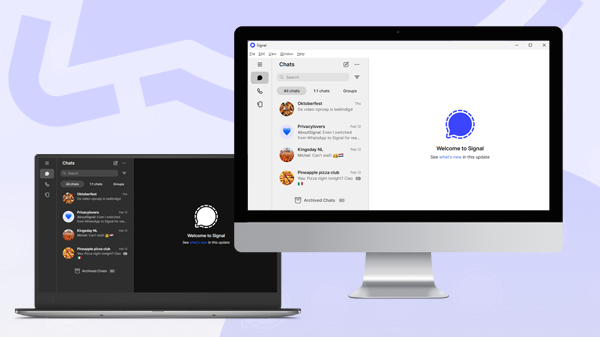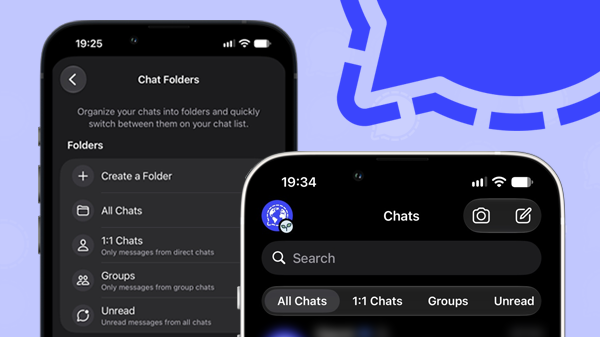
After Android and Desktop, Signal is now bringing chat folders to iOS, with the feature officially rolling out to beta testers.
Chat folders allow you to organize your chat overview entirely to your own preference. You can sort by chat type (1:1 chats or groups), or create custom folders for different purposes. For example, you can have separate folders for friends and family, colleagues, or other important chats. This makes it easier to keep your chats organized and quickly find the conversations that matter most.
The first hints of chat folders for iOS appeared just last week in Signal’s source code. Now, the feature is already available in Signal iOS beta version 8.39 and will roll out to all users soon.
How to use chat folders in Signal for iOS
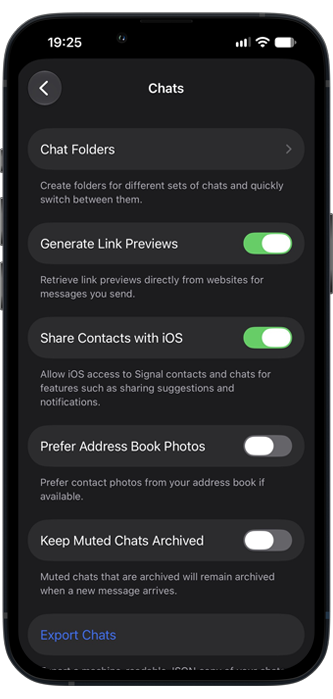
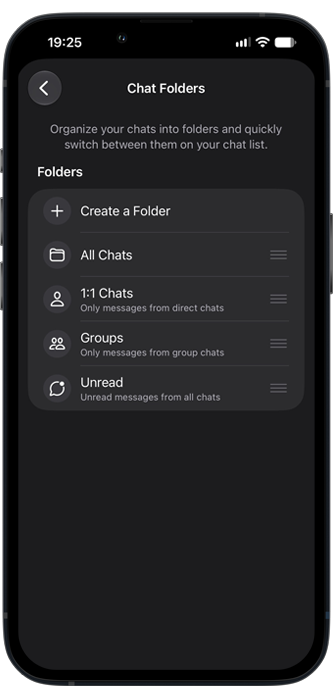
You can find chat folders under Signal Settings > Chats > Chat Folders.
Signal has several suggested folders: 1:1 chats, Groups and Unread. You can also create new folders yourself:
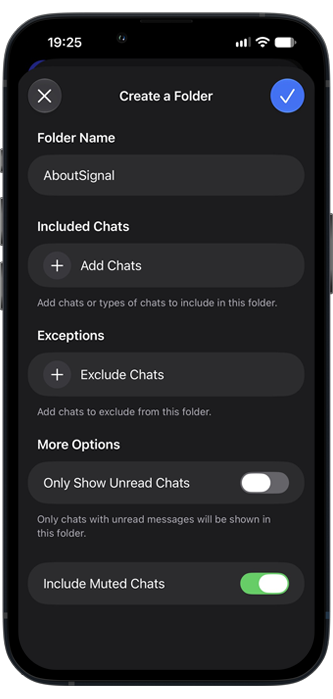
When you create a new folder, you can manually add chats or groups, or choose a chat type (1:1 chats or groups) and exclude certain chats or groups.
You can also choose to only show unread chats and to include or hide muted chats in your folder:
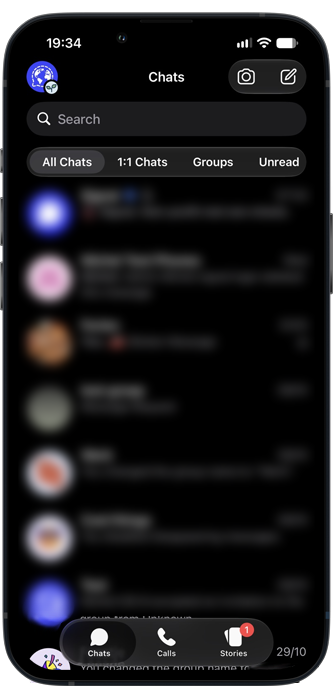
The result is a much better overview of your chats and you can switch between folders easily and quickly. With chat folders you no longer need to search or scroll through your entire chat list to find a specific chat or group.
Chat folders in Signal are fully optional. If you don’t create any folders, you will simply keep the design of the old chat list.
For those using linked devices, chat folders are automatically synchronized, keeping the chat overview consistent across devices.
Availability
Android and Desktop users have already been able to use chat folders for some time now. For Signal iOS, the chat folders feature is currently in beta version 8.39 and will soon be available to all users
Stay Informed
Want to stay up to date with the latest Signal news, tips, and updates? Follow us on Bluesky or Mastodon.