Signal introduces member labels for groups

27 February 2026 08:00 CET

Updated 12/03/2026 to add new group permission settings for labels

Signal has added a new feature: member labels. With labels, you can give a short description about yourself or your role in a group. 

Last month, we already found the first hints of member labels in Signal’s source code. The feature is available in the latest beta versions for Android (8.1), iOS (8.1) Desktop (8.1), and will be rolled out to everyone after a short testing period. The most recent regular, stable versions of Signal already support viewing labels of other members.

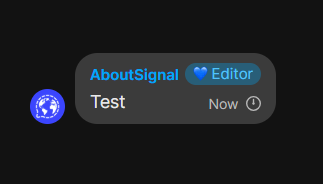
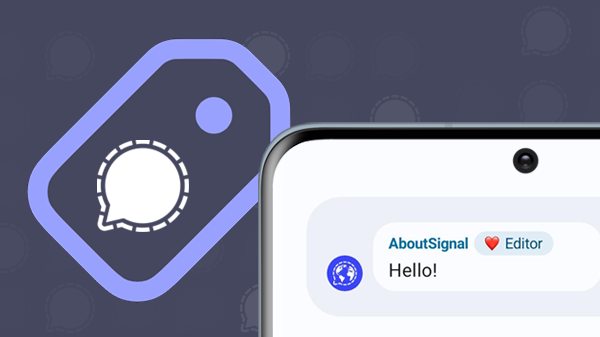
Example of a member label next to a name

Member labels are especially useful in larger groups where not everyone knows each other personally, such as a neighborhood group, a work group with colleagues from different departments, or a sports club chat.

Labels can start with an emoji, just like the ‘About’ description in your profile. You can only create a label for yourself, so you can’t assign a label to someone else in the group.
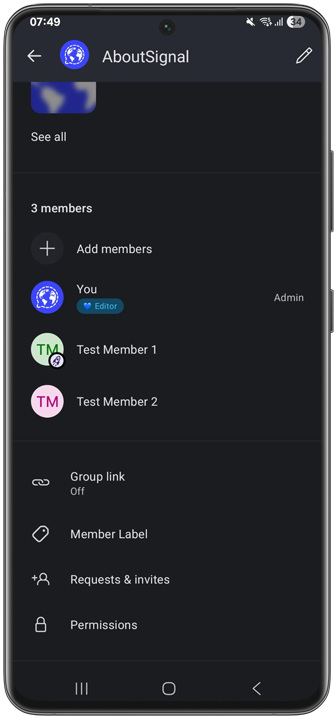
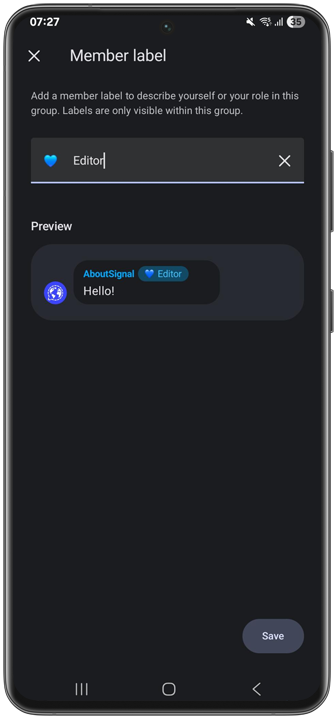
The labels are displayed in the member list, on the ‘About’ screen with contact information, and in group messages next to your name. They are only visible within a specific group, and all current and future group members can see your label.
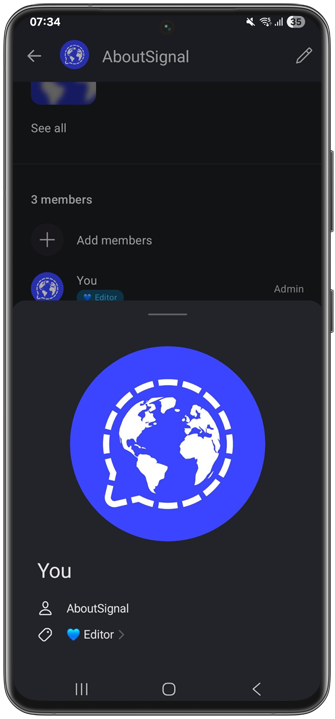
Member label on the ‘About’ screen

As with everything in Signal, labels are end-to-end encrypted, so no one outside the group can see them.

Only admins or all members

Admins can use group permissions to decide whether only admins or all members can set a member label. This can be done via Group settings > Permissions > Add member labels.

Availability

The feature is available in the latest beta versions for Android (8.1), iOS (8.1) Desktop (8.1), and will be rolled out to everyone after a short testing period. The most recent regular, stable versions of Signal already support viewing labels of other members.

Don’t have Signal yet, or haven’t used it in a while? Download Signal for free via the official channels.

Stay Informed

Want to stay up to date with the latest Signal news, tips, and updates? Follow us on Bluesky or Mastodon.
Share privately via Signal:

or share with less privacy:

About Signal beta for Android

Signal Beta is the test version of Signal, intended for users who want early access to the newest features. Test versions may contain bugs and issues. You can sign up for Signal’s beta program via Google Play. Once the features have been successfully tested and approved, they are introduced in the stable version of the app. This ‘regular’ version can be downloaded via Google Play — more information can be found under Download.

About Signal beta for iOS

Signal Beta is the test version of Signal, intended for users who want early access to the newest features. Test versions may contain bugs and issues. You can sign up for Signal’s beta program via the App Store and the TestFlight app. Once the features have been successfully tested and approved, they are introduced in the stable version of the app. This ‘regular’ version can be downloaded via the App Store — more information can be found under Download.

About Signal beta for Desktop

Signal Beta is the test version of Signal, intended for users who want early access to the newest features. Test versions may contain bugs and issues. You can install the beta version on Windows, macOS, or Linux via the official Signal website. Once the features have been successfully tested and approved, they are introduced in the stable version of the app. This ‘regular’ version can also be downloaded via the Signal website — more information can be found under Download.

Not on Signal yet? Give it a try!

Related posts.

Latest news.