Ultimo aggiornamento: 29 settembre 2026 (aggiornata la disponibilità)
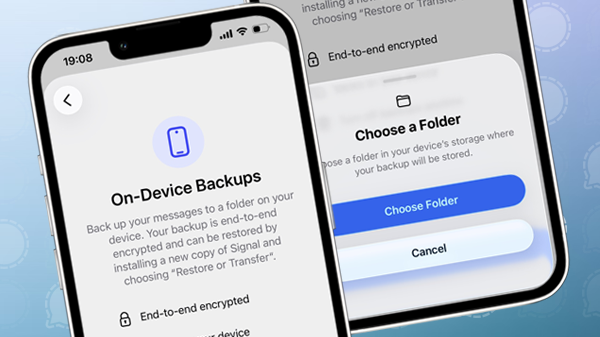
Signal ha introdotto i backup su dispositivo per iPhone e iPad. I backup locali sono multipiattaforma, il che significa che utilizzano lo stesso formato dei backup locali già esistenti su Desktop e Android.
Fino ad ora, gli utenti iOS potevano usare solo i Backup sicuri di Signal per fare il backup dei messaggi e dei media, e non avevano l'opzione di creare un backup locale. I nuovi backup su dispositivo consentono agli utenti di archiviare in modo sicuro una copia dei dati di Signal localmente per ripristinarli quando sarà necessario.
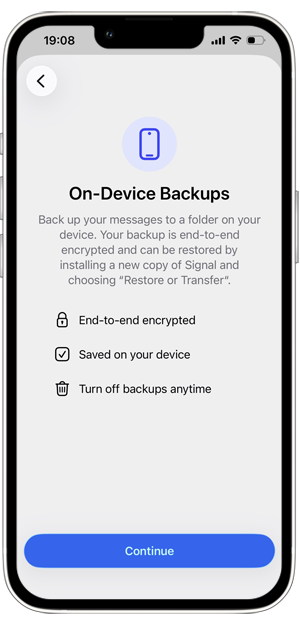
I backup sul dispositivo sono salvati come cartelle contenenti vari file e sono crittografati end-to-end.
I file multimediali sono sottoposti a backup incrementale, il che significa che vengono salvati nuovamente solo i file modificati. I file duplicati vengono rimossi automaticamente per garantire l'efficienza dei backup e ridurre l'utilizzo dello spazio di archiviazione.
Con il supporto per i backup locali, Signal ore offre varie opzioni di backup per iOS. Gli utenti possono scegliere tra i backup locali, i Backup Sicuri di Signal gratuiti (tutti i messaggi e i media degli ultimi 45 giorni), e i Backup Sicuri di Signal a pagamento (tutti i messaggi e tutti i media fino a 100 GB).
Una sola chiave di ripristino per i backup sul dispositivo e i Backup Sicuri di Signal
I backup su dispositivo sono protetti da una chiave di ripristino di 64 caratteri. Questa è la stessa chiave utilizzata dai Backup Sicuri di Signal, questo significa che gli utenti devono salvare solo una chiave di ripristino per ripristinare i backup.
Senza la chiave di ripristino non è possibile ripristinare il backup, quindi è importante conservarla in un luogo sicuro e non rivelarla mai a nessuno.
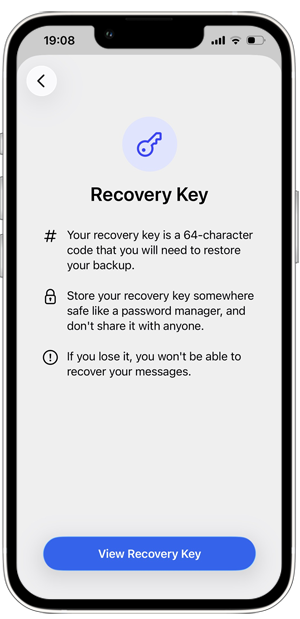
Come abilitare i backup su dispositivo
Tutti i tipi di backup sono opzionali, quindi gli utenti possono scegliere se abilitarli e quale metodo preferiscono.
Per abilitare i backup su dispositivo vai in Impostazioni di Signal > Backup:
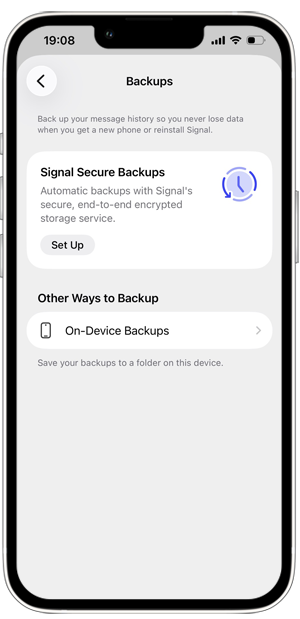
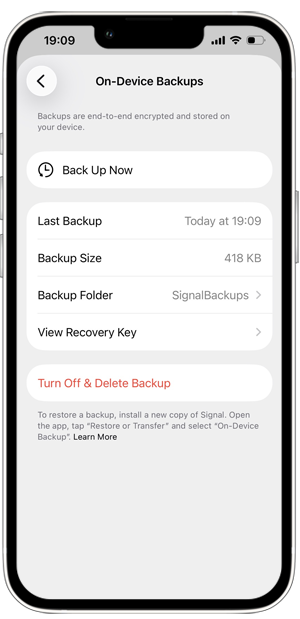
Tocca su Backup su dispositivo > Attiva i Backup. Scegli una cartella in cui archiviare il tuo backup e assicurati di salvare la chiave di ripristino.
Se preferisci, puoi anche scegliere una cartella nel drive di iCloud per archiviare il tuo backup.
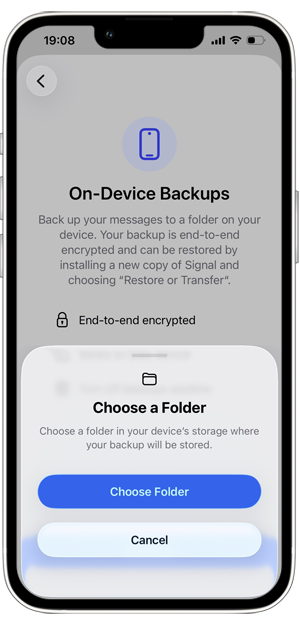
Dopo aver scelto una cartella, puoi creare un backup e vedere i dettagli del backup:
Come ripristinare un backup su dispositivo
Se hai attivato e creato un backup locale di Signal, puoi ripristinare il backup su iOS o Android reinstallando Signal, selezionando “Ripristina o trasferisci account” e scegliendo poi “Ripristina backup su dispositivo”. Al momento non è possibile ripristinare un backup locale sulla versione desktop, ma puoi trasferire manualmente il backup dal desktop al tuo telefono e ripristinarlo da lì.
Per ripristinare un backup su dispositivo da Android o Desktop sul tuo iPhone o iPad, devi innanzitutto spostare la cartella del backup nella memoria interna del tuo dispositivo iOS.
Disponibilità
I backup su dispositivo sono disponibili su iPhone e iPad a partire dalla versione 8.30 di Signal. Puoi creare un backup su dispositivo sia su dispositivi principali che su quelli collegati.
I backup su dispositivo erano già supportati su Android e Desktop e ora possono essere ripristinati su un dispositivo iOS.
Resta informato
Vuoi rimanere aggiornato sulle ultime novità Signal notizie, suggerimenti e aggiornamenti? Seguici su Threads, Bluesky o Mastodon.