

Home > Signal Releases > Desktop
Signal Desktop Releases
What’s new?
Overview of recent Signal Desktop app updates and main changes
Dates refer to beta releases, which are rolled out to stable versions one week later.
Released features only. For in-development features, see News.
Maintained by AboutSignal. Not official release notes.
Bug fixes & technical improvements
September 10, 2026
New design for settings
August 26, 2026
- A new settings interface with a more modern look and feel. Read more
Zoom levels
August 20, 2026
- Two new zoom levels in the appearance settings (110% and 90%)
Group member search
August 13, 2026
- A new member search option in group details lets you quickly find specific participants within a group. In the search results view, you'll have the option to add new members or invite people using the optional group link
Bug fixes & technical improvements
August 6, 2026
Bug fixes & technical improvements
July 30, 2026
Bug fixes & technical improvements
July 23, 2026
Disappearing call events & design improvements
July 16, 2026
- Disappearing call events: call events now respect the disappearing timer of a chat and disappear too. For missed calls, the timer starts when the call is read. For 1:1 calls, the timer starts when the call is answered or declined and for group calls, the timer will start when the call is over. Read more
- Design improvements: the dark theme now features a new dark/grey color scheme, slightly transparent context menus, and the menu bar now matches the active theme instead of remaining light in dark mode
- Installed sticker packs can now be reordered
End groups for everyone
July 9, 2026
- End groups for everyone: admins can now end a group for everyone. After ending a group, members will no longer be able to send messages or start calls in the group. Read more
Polls for 1:1 chats
July 1, 2026
- Polls can now be created in individual chats too
Updated sticker pack link previews
June 18, 2026
- Updated sticker pack link previews: new button and design for sticker pack previews
Remote mute
June 10, 2026
- Remote mute: all participants can now mute others in group calls
- JPEG files are now saved with the default extension .jpg instead of .jpeg
- Support for dark icon sytle in macOS
Bug fixes & technical improvements
June 4, 2026
New raised-hand indicators
May 28, 2026
- New raised-hand indicators are now also displayed in the list of raised hands during group calls: the first person who raised their hand is highlighted in green, making it easier to recognize the order
Keyboard shortcut for raising hands
May 20, 2026
- Keyboard shortcut for raising and lowering hands during group calls (Shift + H)
Voice notes improvements
May 14, 2026
- Real-time visualization while recording voice messages
- Raised hand indicators in group calls now display the current order of the queue
- Additional confirmations and educational messaging in the app to help protect Signal users from phishing and social engineering attacks. Read more
List of blocked users and groups
May 8, 2026
- List of blocked users and groups (Preferences → Privacy)
- Unicode 17 emoji: new emoji from Unicode 17.0 available in Signal
- Updated design for Release note chat: New chat color and background to help you recognize the only official chat
Updated message request UI & group calls participant menu
April 26, 2026
- Updated message request UI: new warnings when you receive a new message from someone you don't know. Useful for help identify phishing attacks on Signal
- Updated design for Release note chat: New chat color and background to help you recognize the only official chat
- Group calls participant menu: a menu to easily see all the participants in a group call
Bug fixes & technical improvements
April 15, 2026
Bug fixes & technical improvements
April 9, 2026
Collapsed events & local desktop backups for Android users
April 2, 2026
- Collapsed events: in-chat notifications (calls, group updates, members leaving/joining) now be grouped together. Read more
- For Android users, local backups on desktop: create an end-to-end encrypted backup stored locally on your computer that can be restored on your phone. Currently only available on desktop when using Android as the primary device, still a work in progress for iOS. Read more
Bug fixes & technical improvements
March 25, 2026
Bug fixes & technical improvements
March 19, 2026
Member labels
March 11, 2026
- Member label: describe yourself with a member label in groups. Group admins can also choose who is allowed to set a member label. Read more
Send view once media
March 5, 2026
- You can now send view once media from Signal Desktop. This was possible only from mobile app. Read more
Bug fixes & technical improvements
February 26, 2026
Signal Secure Backups & new context menu All media
February 18, 2026
- Signal Secure Backups are now available to everyone. You can use them to back up all your chats and 45 days of media for free; or all chats and media for a monthly fee. Read more
- Context menu in all media screen: a handy context menu in all media screen to easily forward, save, delete any file. Go to Chat settings → All media → Right click any item
Get the latest version

Do you like these new features?
Signal is a non profit, built for you.
Support future development by making a donation. Visit Signal’s donation page or donate directly through the app via Settings => Donate to Signal.

Follow AboutSignal
Become part of the community


Latest news.
Signal registration without a phone number now available in Android beta
Signal Login is an optional registration method that allows users to create a Signal account without providing a phone number.
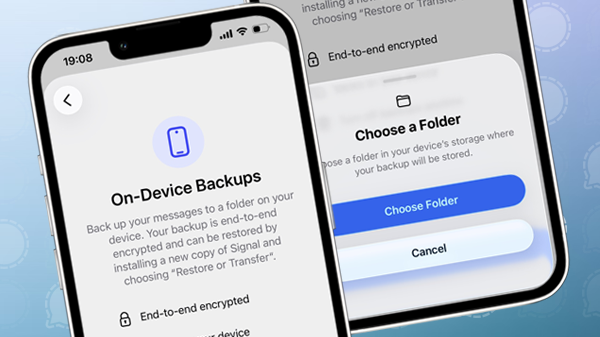
Signal brings on-device backups for iPhone and iPad to beta
With support for local backups, Signal now offers multiple backup options on iOS.
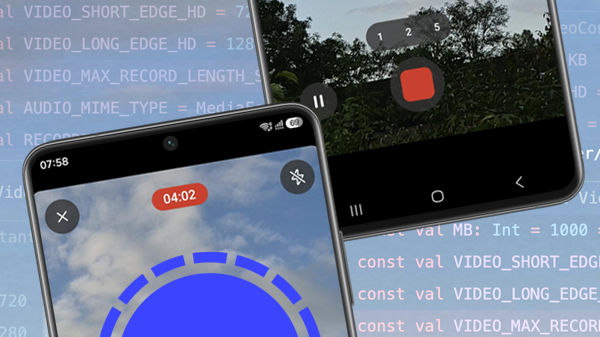
Signal now lets you record much longer videos in the app
Signal has increased the maximum length of in-app video recordings.